Live messages & reactions
Messages wait for desktop acknowledgement. DJs can enable reactions and adjust their intensity; cooldowns keep the screen manageable.
Audience channel Direct to display
Get cheers, shout-outs, and track requests on a live ticker without leaving your DJ software. One link for the room. One clean signal to the DJ.
For macOS and Windows. Free during launch until 20 November 2026: create an account and your personal audience channel is ready. No payment details needed. Download for Mac & Windows
IN THE BOOTH
From a phone in the crowd to a message on the DJ’s screen. A closer look at the workflow, on both sides of the booth.
Design your QR, scan it, send a song request or reaction, and watch it land on the ticker over DJ software.
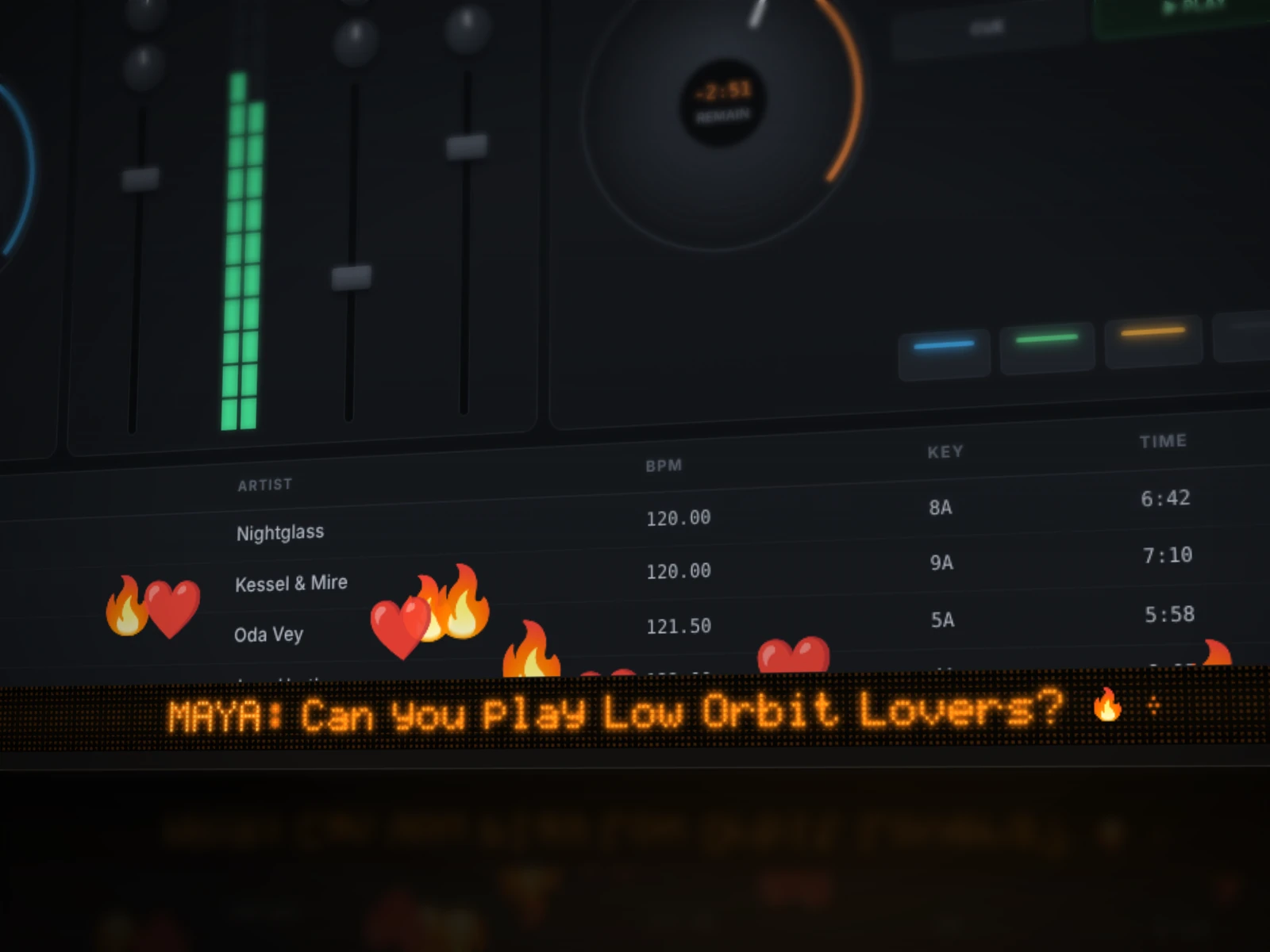
A native ticker alongside your DJ software. Show audience messages and reactions, choose a display, and manage the overlay from the desktop app.
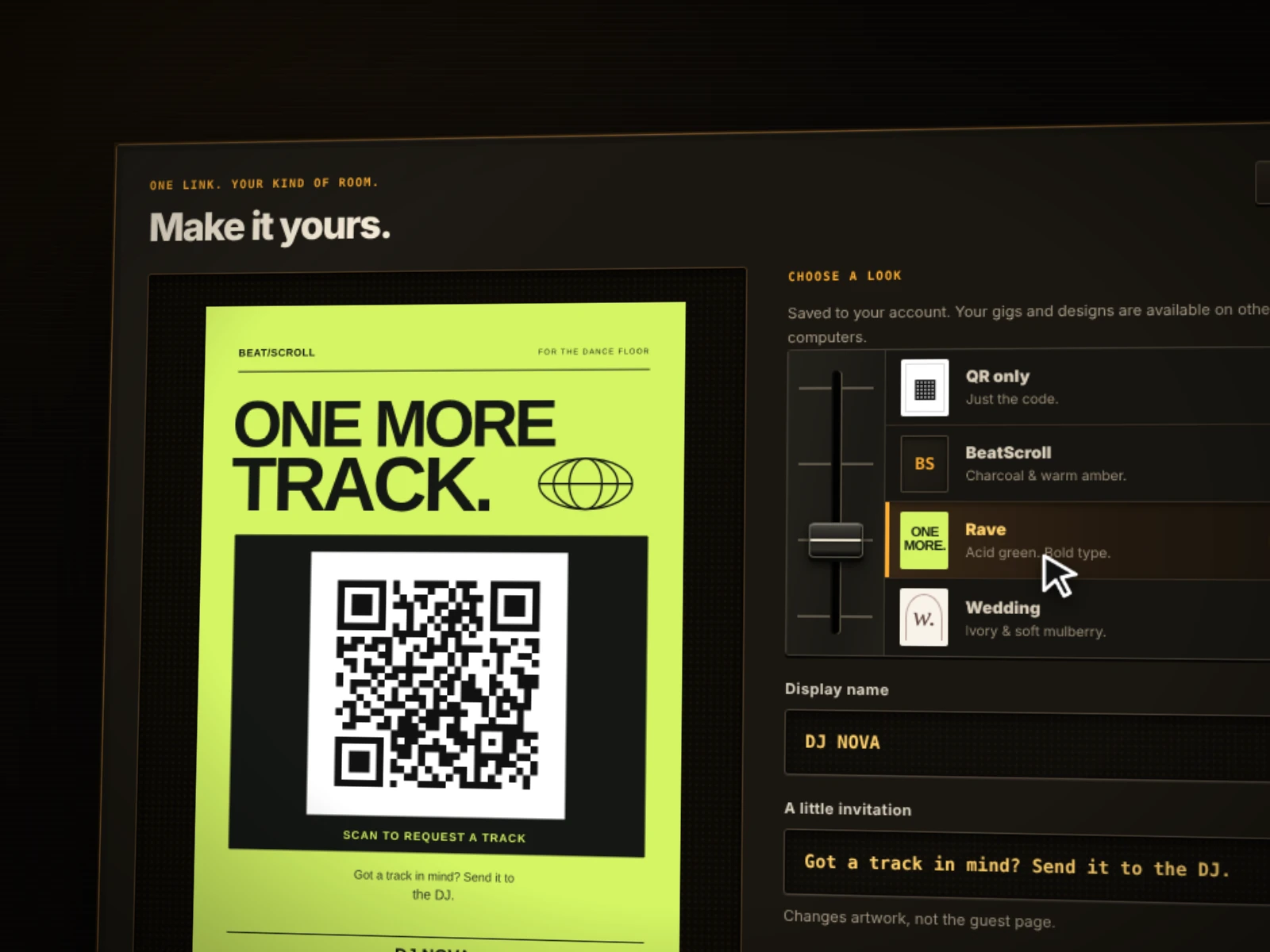
Your personal audience channel, live status, computer management, and QR presentation in one place. Export artwork as PNG, SVG, or for print.
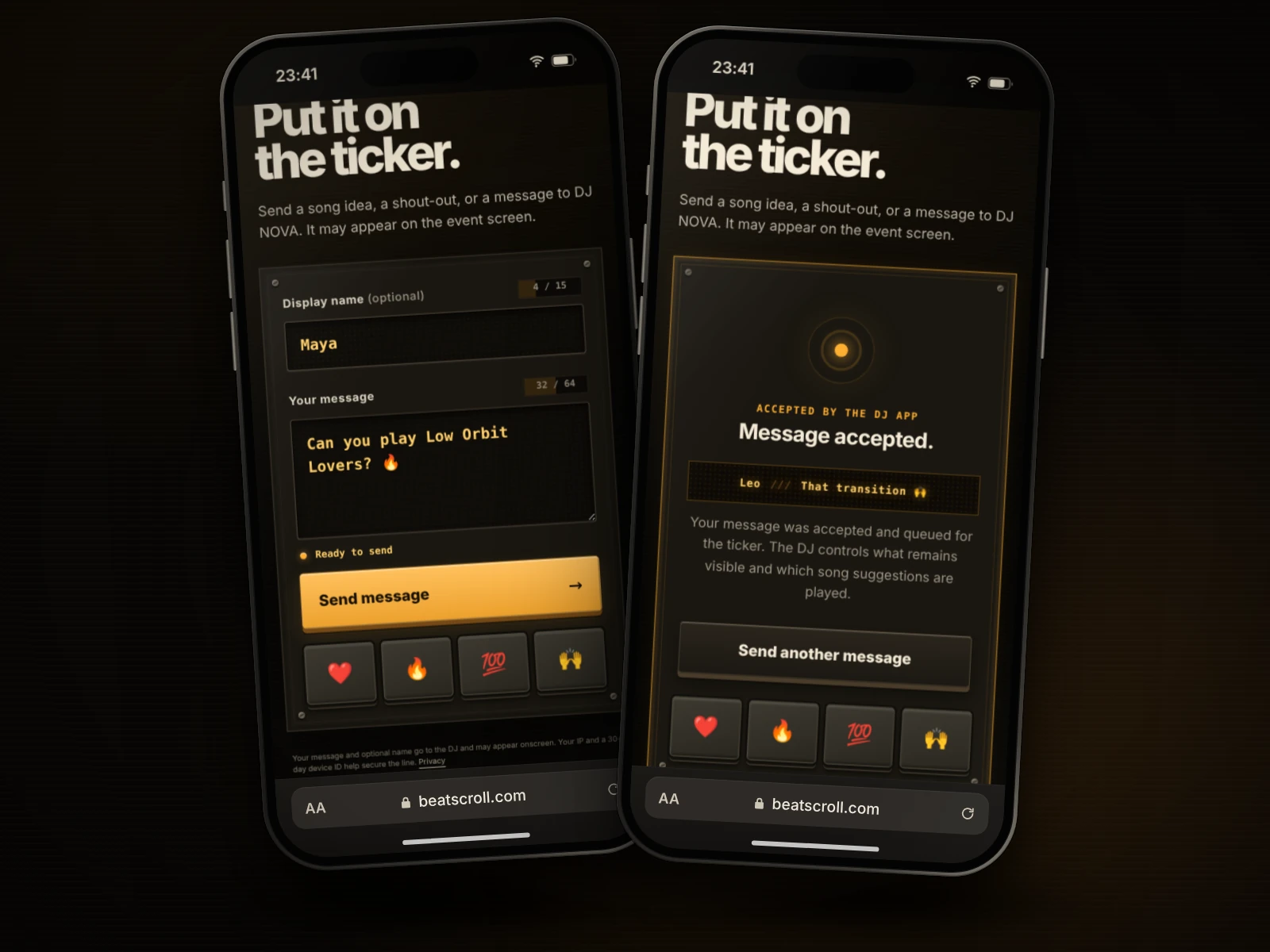
Song ideas, shout-outs, and messages from any phone. Anonymous reaction pads, acceptance confirmation, character limits, and clear connection feedback.
Messages wait for desktop acknowledgement. DJs can enable reactions and adjust their intensity; cooldowns keep the screen manageable.
Show a plain QR or BeatScroll, Rave, and Wedding posters. Add your display name and invitation, present it large, or export it for printing.
Sign in from the macOS or Windows app, compare the browser code, and revoke individual computers from the Deck at any time.
Character limits, browser and IP rate limits, and a desktop queue that can be cleared at any time keep the line manageable.
Browser sign-in, account-owned audience channels, short-lived connection tickets, and exactly one live computer per account are implemented.
Messages go directly to the connected DJ app. Reactions are neither stored nor replayed.
Signal path Three clean stages
Scan
Put the QR code on a screen, printout, or table card. Guests open a fast mobile page without installing anything.
Protect
Short messages, browser and IP rate limits, and clear offline states protect the live line.
Scroll
The desktop app places a lightweight ticker over the active display while your DJ software keeps focus.
Access modes Pick your signal
Two access models: the Guestlist subscription at €4.99 per month and the Gig Pass at €4.99 per event, both including VAT. During launch, everything is free until 20 November 2026: every account gets a permanent personal audience channel while we fix bugs and build the features you ask for. You’re only charged for what you subscribe to or buy.
Your permanent crowd channel.
€4.99 per month · incl. VAT
A scheduled channel for one event.
€4.99 per gig · one-time · incl. VAT
Native desktop apps macOS + Windows
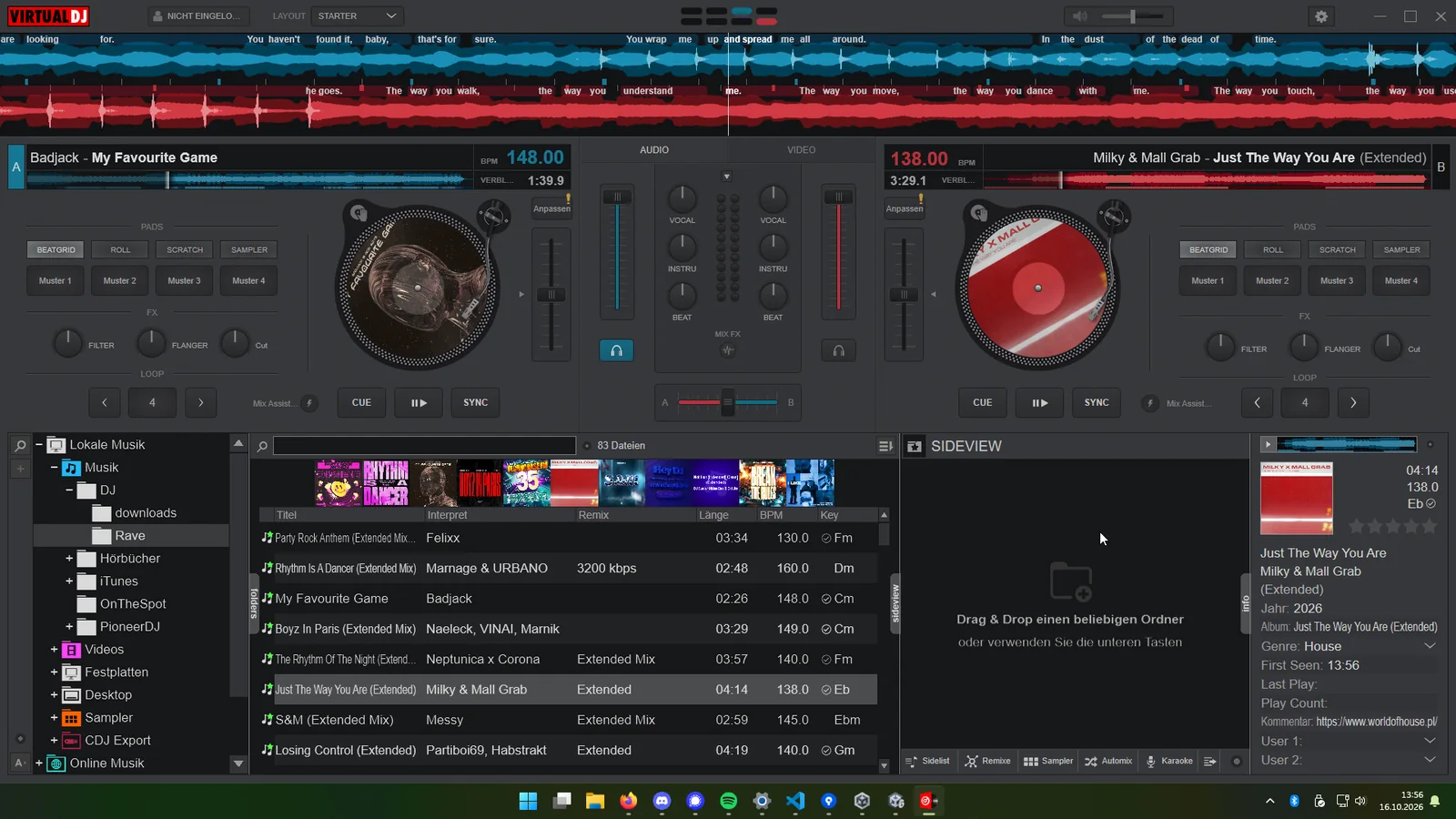
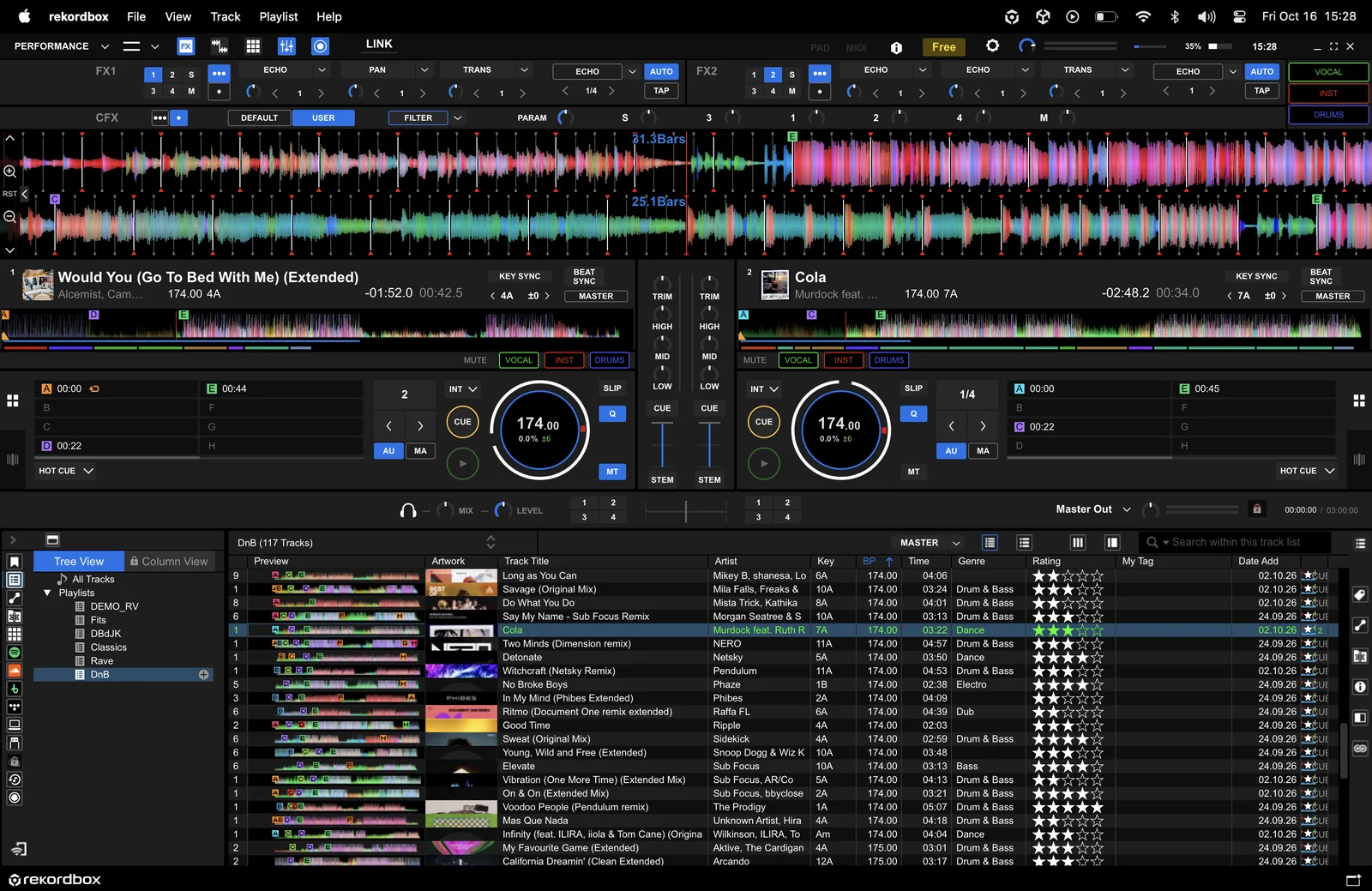
Runs over any DJ software on macOS and Windows, such as VirtualDJ, rekordbox, Serato, Traktor, or djay.
Shown: VirtualDJ on Windows and rekordbox on macOS. Trademarks belong to their respective owners.
Ready for your next set Free until 20 November 2026
Create an account, install the app, share your link. Available for macOS and Windows.